

Even if you are not a developer, you have almost certainly heard of React.js. And unless you have been completely offline for the past decade, you know Facebook. React.js is a JavaScript library created at Facebook by Jordan Walke. Its origins go back to 2011, a period when Facebook was struggling with the growing complexity of its front end. Large, highly interactive applications were becoming difficult to maintain, slow to update, and error-prone.
Jordan Walke experimented with a prototype called FaxJS, which introduced a new way of thinking about UI updates. Instead of manually keeping the interface in sync with data changes, the UI could be treated as a direct function of state. That idea became the foundation of React.
In 2012, Facebook faced serious challenges scaling Facebook Ads. The existing architecture could not keep up with the frequent UI updates required by advertisers. Walke refined his prototype further, and React began to take shape as an internal tool. In 2013, Facebook open-sourced React, making it available to the public. Adoption was initially cautious, but by 2015, major companies had embraced it, and React quickly became one of the most influential technologies in modern front-end development.
Fun fact: FaxJS is still available on GitHub, so you can see where React originated.
What React actually is and what it is not
React is a JavaScript library, not a full framework. That distinction matters. React focuses on one thing: rendering user interfaces based on data. It does not dictate how you fetch data, how you handle routing, or how you manage global application state. This narrow focus is one of React’s biggest strengths.
React shines when you need highly interactive interfaces such as dashboards, forms, widgets, or entire Single Page Applications. It is also widely used for mobile apps through React Native. However, React is not automatically the right choice for every project. Simple, mostly static websites often do not benefit from the additional complexity.
At its core, React allows you to define what the UI should look like for a given state, and it takes care of updating the browser efficiently when that state changes.
Components as the foundation of React
React applications are built from components. A component is an isolated, reusable piece of UI. It can represent something small, like a button, or something large, like a checkout flow or pricing calculator.
Components receive data through inputs called props. Props are read-only and flow from parent to child. This one-directional data flow makes applications easier to reason about and debug.
There are two main component styles in React.
Functional components
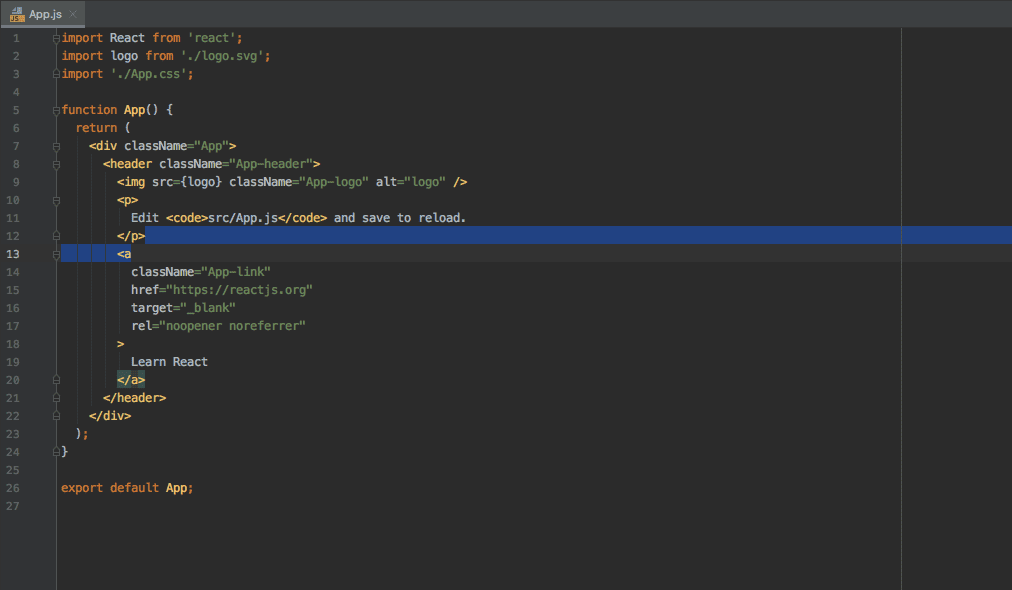
Functional components are plain JavaScript functions that return JSX. JSX is a syntax extension that looks like HTML but compiles to JavaScript. It allows developers to describe UI structures in a clear, declarative way.
Since the introduction of Hooks, functional components can manage state, side effects, and lifecycle behavior without classes. Today, they are the recommended approach for most React applications.
Class-based components
Class components are written using ES6 classes. They were historically used for stateful logic and lifecycle methods. While still supported, they are now considered legacy in many codebases, as Hooks provide the same capabilities in a simpler and more composable way.
Understanding class components is still useful when maintaining older projects, but new development rarely requires them.
The Virtual DOM and why React is fast
One of the most talked-about features of React is the Virtual DOM. Manipulating the real DOM is expensive. Every change can trigger layout recalculations, painting, and reflows in the browser.
React avoids unnecessary DOM work by keeping a lightweight, in-memory representation of the DOM called the Virtual DOM. When state changes, React creates a new Virtual DOM tree and compares it with the previous one. This process, known as reconciliation, determines the minimal set of changes needed to update the real DOM.
By batching and minimizing DOM operations, React achieves excellent performance, even in complex interfaces with frequent updates.
State, effects, and lifecycle concepts
Every React component has a lifecycle, from creation to removal. In modern React, lifecycle behavior is handled primarily through Hooks.
Mounting happens when a component is first rendered. Updating occurs when props or state change. Unmounting happens when a component is removed from the DOM.
Hooks like useEffect allow developers to run logic at specific moments in this lifecycle, such as fetching data when a component mounts or cleaning up listeners when it unmounts. This model is predictable and aligns closely with how developers think about application behavior.
React in real-world applications
React is widely used because it scales well from small widgets to large applications.
At 4BIS, React is often used where flexibility and interactivity matter most. For example, we have built ordering widgets with a WooCommerce backend, where React handles customer interaction and dynamically fetches products based on user input.
In the travel industry, we replaced limited off-the-shelf booking tools with custom React modules that calculate prices for extra options in real time and present a clear overview before checkout.
For 4BIS Telecom, React powers a pricing widget that instantly calculates VoIP subscription costs based on the number of accounts selected. This kind of instant feedback significantly improves conversion and user experience.
Why companies choose React
React is fast, lightweight, and highly reusable. Its ecosystem is mature, with strong community support and long-term backing from Meta (Facebook). React also integrates well with almost any backend, making it an excellent choice for projects where the UI needs to evolve independently.
FAQ
What is React used for?
React is used to build interactive user interfaces like dashboards, configurators, calculators, booking flows, checkout steps, and Single Page Applications. It is especially useful when the UI must update instantly based on user input or live data.
- Common use cases: product configurators, pricing widgets, portals, admin panels, booking engines, onboarding flows
- Less ideal: simple brochure sites with only a few static pages
Is React a framework or a library?
React is a library. It focuses on the view layer: rendering UI based on state. For routing, data fetching, caching, forms, and app structure, you typically add other tools or use a framework built on React.
- React (library): UI rendering
- React frameworks: add routing, server rendering, and conventions
Do I need React to build a modern website?
No. If your website is mostly static content, standard HTML, a CMS, or a lightweight setup can be better. React becomes valuable when you need a lot of dynamic behavior, complex forms, personalization, or a rich in-browser experience.
Is React good for SEO?
React can be great for SEO, but it depends on how you render pages. If you ship everything as client-side JavaScript only, search engines may index less reliably and performance can suffer. If you render HTML on the server or generate pages ahead of time, SEO is usually strong.
- Best for SEO: server-side rendering or static generation
- Often weaker: purely client-side rendering for content-heavy pages
What is the Virtual DOM in React?
The Virtual DOM is an in-memory representation of the UI. When state changes, React computes what changed and updates only the necessary parts of the real DOM. This reduces expensive DOM operations and helps keep interfaces responsive.
What are props and state in React?
Props are inputs passed into a component by its parent and should be treated as read-only. State is data owned by a component that can change over time. When state changes, React re-renders the component to reflect the new UI.
- Props: data coming in
- State: data managed inside
Are React Hooks better than class components?
In most modern React codebases, yes. Hooks make it easier to reuse logic and keep components small and composable. Class components are still supported and you will see them in older projects, but most new development is done with functional components and Hooks.
What do I need besides React for a real application?
React handles UI rendering. Real applications usually also need routing, data fetching, caching, form handling, and state management. The exact stack depends on your product, but React is typically one part of a larger front-end architecture.
Is React fast?
React can be very fast when used well. Performance usually depends more on how components are structured, how often you trigger re-renders, how you load data, and how large your JavaScript bundle is.
Should I use React for a widget inside an existing website?
Yes, React works very well for embedded widgets like calculators, quote forms, checkout modules, or account portals. You can mount a React component into a specific part of an existing page and keep the rest of the site unchanged.
How much does a React project cost?
Cost depends on complexity. A small widget can be relatively quick, while a full product with authentication, dashboards, and integrations requires more design, engineering, QA, and ongoing maintenance. The biggest cost drivers are usually scope, integrations, and how many user flows you need.