Emailbox Android Mail
Published: 08.04.2026
Add Emailbox to the Android Mail
Step 1.
Open the Mail app.
Press the three horizontal lines at the top left.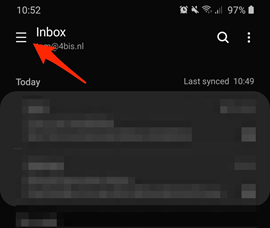
Step 2.
Now press the gear at the top.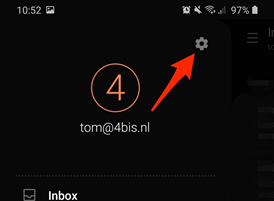
Step 3.
Now press “Add account”.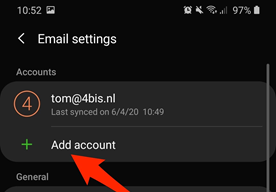
Step 4.
Press “Other”.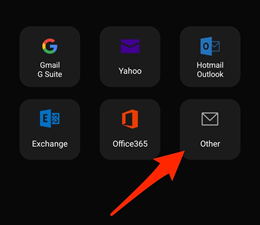
Step 5.
Enter your email address at the top.
Press “Manual setup” at the bottom.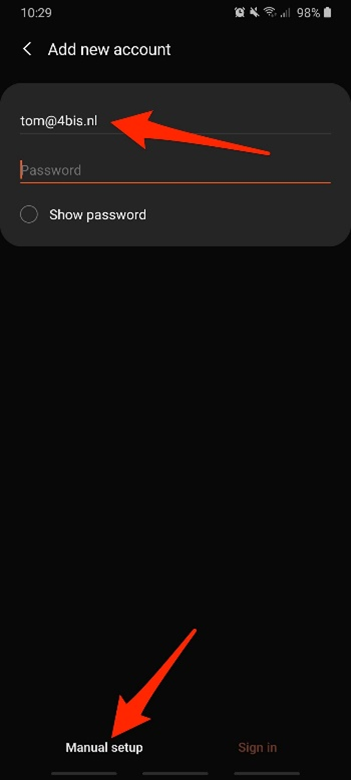
Step 6.
Press “IMAP account” at the bottom.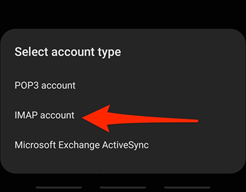
Step 7.
Under the heading “Account” enter your email address at “Email address”.
Enter your email address at “User name”.
Enter your password at “Password”.
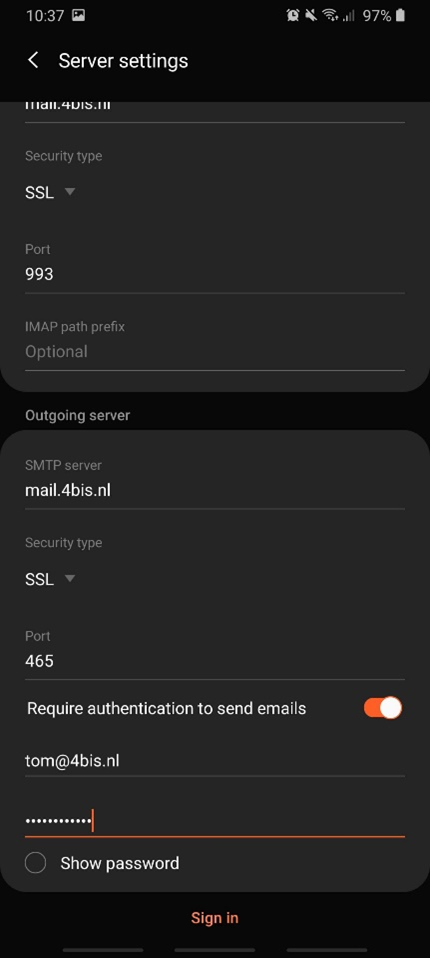
Under the heading “Incoming server” under “IMAP server” enter “mail.4bis.nl”.
At “Security type” choose “ssl”.
At “Port” enter 993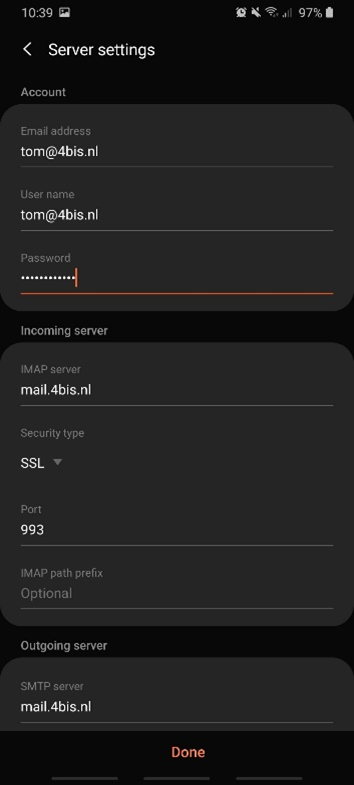
Step 8.
Under the heading “Outgoing server” enter “mail.4bis.nl” at “SMTP server”.
At “Security type” choose “ssl”.
Enter 465 at “Port”.
Make sure the slider at “Require authentication to send emails” is orange.
Enter your email address below again.
Enter your password below your email address.
Press “Sign in”.
Done You now have access to your 4BIS mailbox via the Android mail app.